


AeroWeather
4.6138.00 Reviews
App Specs
- Version
- 1.10.6
- Updated On
- License
- Free
- Downloads
- 100,000+
- Developer
- Lakehorn AG
- Categories
- Weather
- Platform
- Android
Screenshots
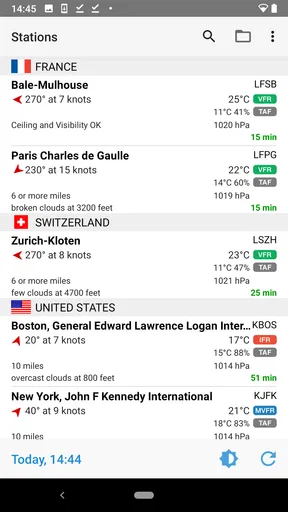
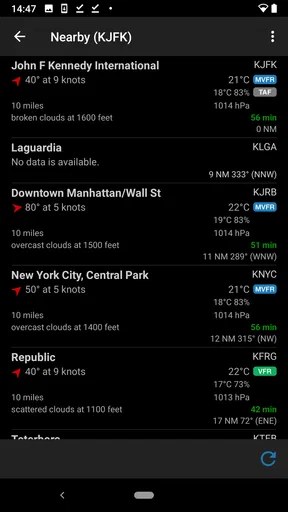
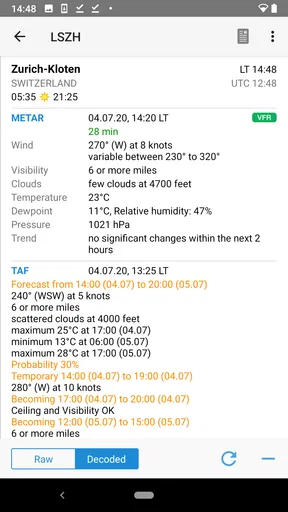
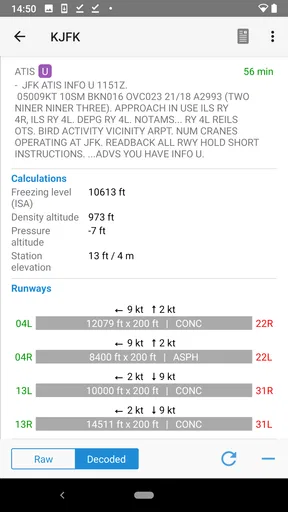
 Analysis by AppCompare
I find AeroWeather most useful when I want weather information tied to a particular airport rather than a broad, city-level summary. It is a weather app from Lakehorn AG built around aviation reports, so it makes more sense for pilots, aviation enthusiasts, and travelers who care about conditions at specific locations than for someone who only wants a simple rain icon before leaving home. The distinction matters: its strength is the detail in its METAR and TAF information, not replacing every everyday weather tool.
A practical routine for checking conditions
My preferred way to use an aviation weather app is to make the check repeatable. I start with the station relevant to the place I’m going, look at the current report, then compare it with the forecast instead of treating either one as a complete answer on its own. METAR describes reported conditions at a station; TAF gives a forecast for an airport area. That pairing helps me separate “what is being observed now” from “what may change later.”
For a routine trip, I would check the destination and any airport that matters along the way, then revisit the reports closer to departure if conditions are important to the plan. A report is a snapshot, so reading it once in the morning and assuming it still describes the afternoon is a poor habit. AeroWeather makes this kind of station-focused check the natural workflow, rather than leading with a general forecast for your current neighborhood.
That focus is useful beyond flight planning. If I’m meeting someone near an airport, choosing whether to spend time outdoors, or trying to understand conditions at a destination before traveling, a station report can add context that a broad regional icon misses. It is still important not to treat an aviation report as a promise about the exact weather at every nearby street or trail: local conditions can differ from what is observed at the reporting station.
Settings that make the reports easier to use
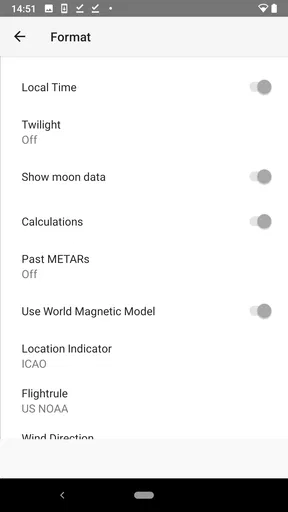
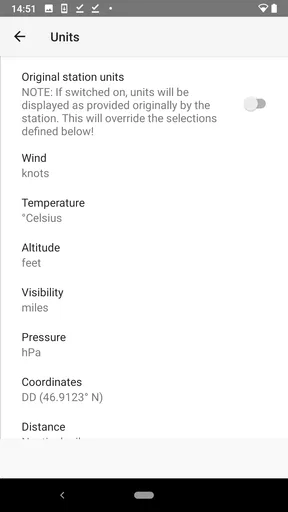
The format options are more than cosmetic if you read these reports regularly. I’d set temperature and wind units to the conventions I already use, then leave them alone. Switching units repeatedly creates needless mental arithmetic, especially when comparing reports from different places. A consistent setup makes changes in the weather easier to notice instead of making me stop to translate the numbers.
For a new user, the main learning curve is the report vocabulary. METAR and TAF are compact aviation formats, not plain-language summaries, so the app is most comfortable when you already know what you’re looking at or are willing to learn. I wouldn’t assume that a neatly displayed report has become self-explanatory simply because it is on a phone. If an aviation abbreviation or forecast group is unfamiliar, it is worth learning its meaning before using it to make a consequential decision.
Favorites can turn a scattered set of checks into a dependable routine. I’d save only stations I genuinely revisit—perhaps a home airport, a destination, and one location that matters for a regular journey. A short list is easier to scan than a collection of places added once and forgotten. The app’s station database is a practical advantage here, but choosing the right station still takes judgment: the closest airport is not automatically the best representation of conditions at your actual destination.
Worth Reading Before You Choose

EA SPORTS FC Mobile 26 Is a Bigger Football Game, but It Takes Time

Flipboard Shows What News Apps Must Do Beyond the Feed

Switching to Android Auto Means Rethinking Your Driving Routine

Google Calendar Makes a Crowded Week Easier to Manage

Ludo King Makes the Most of the Minutes Between Plans

Baby Panda World Brings Quick Play to Modern Phones, but Its Game Library Feels Busy
Faster checks without turning them into guesses
Widgets are useful when I want a quick glance, but I treat them as a prompt to check rather than a substitute for reading a report. That is a small habit with a real payoff: a glance can tell me whether it is worth opening the app, while the full METAR or TAF gives me the context I need. If the decision is important, I would open the relevant station and review the details instead of relying on a shortcut.
A simple everyday scenario shows where the app fits. Suppose I’m planning an outdoor visit near an airport and expect to leave later in the day. I can check the current station conditions, look at the TAF for the period I care about, and keep that location in favorites if I will need it again. If the forecast suggests a change, I can check again nearer the time rather than making the morning report carry too much weight. For a casual decision like whether to take a light jacket, this can be helpful context; for a flight decision, it should be one part of a proper weather assessment, not the whole process.
Compared with a typical consumer weather app, AeroWeather trades broad, friendly summaries for airport-centered reports. A mainstream forecast app is usually the easier choice for hourly rain timing, neighborhood forecasts, radar-style views, or a quick answer with no aviation knowledge. AeroWeather is the better fit when the station itself matters and METAR/TAF are the information you want to inspect. I see these tools as complements rather than direct substitutes: one answers “what is the general forecast for where I am?” while the other helps me examine aviation observations and forecasts for selected airports.
First Impressions
When I first downloaded AeroWeather, I wasn’t sure what to expect. Would it be another run-of-the-mill weather app, or something that could actually make my life easier? Spoiler alert: it’s the latter. The interface is sleek and user-friendly, which is always a bonus. No one wants to wrestle with an app when they’re trying to figure out if a storm is coming.
Features That Stand Out
So, what makes AeroWeather different from other weather apps? Let’s dive into some of the features that stood out to me.
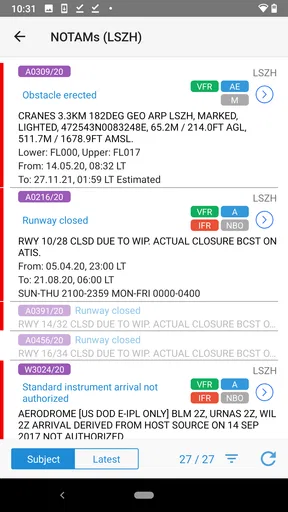
- METAR & TAF Reports: These are the bread and butter of aviation weather. METAR reports give you the current weather conditions, while TAF reports provide forecasts. Having both at your disposal is like having a weather station in your pocket.
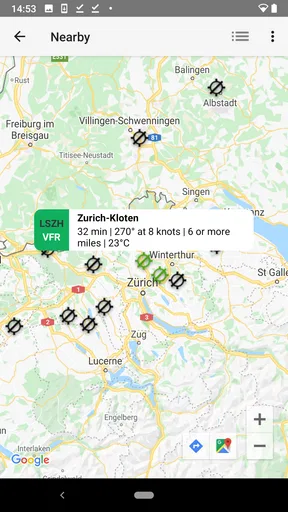
- Station Database: With access to a comprehensive database of weather stations, you can pinpoint the weather at specific airports around the globe. This is super handy for pilots and frequent travelers.
- Customizable Settings: You can tailor the app to show information in the format you prefer. Whether it’s temperature in Celsius or Fahrenheit, or wind speed in knots or mph, you’ve got options.
- Widgets: For those who like their info at a glance, AeroWeather’s widgets are perfect. You can get a quick update on the weather without even opening the app.
Using AeroWeather Day-to-Day
Now, let’s talk about the day-to-day experience. One thing I noticed right off the bat was the accuracy of the weather reports. It’s like having a personal meteorologist. I’ve used it for everything from planning hikes to deciding whether to carry an umbrella, and it hasn’t let me down yet.
The app also allows you to save favorite locations, which is a lifesaver if you travel frequently or have family in different parts of the world. Just a few taps and you’re updated on the weather conditions wherever you need to be.
Who will get the most from it
I’d recommend it first to people who already work with aviation weather or want to build familiarity with airport observations. A pilot or aviation student can use it as a convenient way to review reports for selected stations, while an enthusiast can follow conditions at airports they care about. Frequent travelers may also appreciate checking a destination station before a journey, though that should be treated as useful context rather than a guarantee for the whole city.
It is less suitable if you want a beginner-friendly forecast that spells everything out in everyday language. Someone deciding whether to walk the dog, plan a garden task, or expect showers in a particular neighborhood may be happier with a conventional weather app designed around local forecasts. The right choice depends on the question: airport reports are valuable when you know why that station matters; they are not automatically the clearest answer for every outdoor plan.
Where I would be cautious
The most important limitation is not a missing convenience feature but the nature of the information. METAR reports are observations associated with a station, and a TAF is a forecast with a defined scope and period. Neither should be read as a precise description of every point nearby. A coastal airport, an inland destination, or a route through changing terrain can involve conditions that a single station does not capture. I’d use the report to inform a decision, then seek the broader or more specialized sources appropriate to that decision.
There is also a genuine trade-off between compactness and accessibility. Aviation reports can convey a lot efficiently, but that efficiency assumes the reader can interpret the coded format. If you are unfamiliar with it, the first few checks may feel less immediate than opening a consumer app and reading a plain-language forecast. I would not choose AeroWeather as my only weather app until I was comfortable understanding its reports and knew when another source was needed.
The app is free to download, has an Everyone age rating, and has a 4.6 average from around 1.6 thousand ratings. It has passed 100 thousand installs, and its current version is 1.10.6, with support for Android 6.0 and newer. In-app purchases are listed at $4.49 per item, so I’d check the purchase details in the app before deciding whether any paid option is relevant to my use. Those details make it accessible to try, but the best reason to keep it is still whether airport-focused reports solve a real need for you.
Making it part of a dependable habit
For repeat use, I’d keep a small set of relevant stations and establish a consistent order: check the destination, compare the current observation with the forecast, and return for an updated look when the timing matters. That approach is more useful than opening the app randomly and collecting reports without a question in mind. It also makes it easier to spot when a station is only a rough proxy for the place I care about.
One practical tip is to decide in advance what question each check is meant to answer. “What is being observed at this airport?” calls for the METAR; “what conditions are forecast for the airport area?” points to the TAF. If I need a neighborhood-level rain outlook, I switch to a source built for that job rather than forcing an aviation report to answer it. This division of labor keeps the app useful without asking it to be something it is not.
Lakehorn AG has kept AeroWeather focused on a specific kind of weather information, and that focus is its clearest strength as well as its main boundary. I would not recommend it as a universal replacement for everyday forecast apps, but I would keep it close if I regularly need airport observations and forecasts. The combination of station selection, familiar unit settings, favorites, and widgets can make repeat checks efficient; the reader still needs to understand the reports and respect their limits.
Why You Might Love It
If you’re a weather geek or someone who needs reliable weather data on the go, AeroWeather might just become your new best friend. It’s especially beneficial for pilots or aviation enthusiasts who need detailed, real-time weather information. But even for the casual user, the app’s precision and ease of use are hard to beat.
Final Thoughts
In a sea of weather apps, AeroWeather is a standout. It combines functionality with a user-friendly design, providing accurate and detailed weather reports at the touch of a button. Whether you’re planning a trip or just want to be prepared for whatever Mother Nature throws your way, this app has got you covered. So next time you’re looking at the sky and wondering what’s next, remember AeroWeather is just a tap away.
Pros
- Accurate weather data for pilots.
- User-friendly interface with clear design.
- Customizable alerts for severe weather.
- Integrates METAR and TAF reports smoothly.
- Works offline with saved data.
Cons
- Limited features in free version.
- Interface may seem basic to non-pilots.
- Occasional data update delays.
- No radar map in the app.
- Requires manual location setup.
FAQs for AeroWeather
What is AeroWeather and how does it work?
AeroWeather is a weather app designed to provide aviation enthusiasts and professionals with accurate and up-to-date weather information. It offers METAR and TAF data, which are essential for flight planning. The app retrieves data directly from aviation weather stations worldwide, ensuring reliability and precision for pilots and aviation aficionados.
Is AeroWeather available for both Android and iOS devices?
Yes, AeroWeather is available for both Android and iOS platforms. Users can download the app from the Google Play Store for Android devices and the Apple App Store for iOS devices. Ensure your device meets the app’s system requirements for optimal performance and functionality.
Does AeroWeather offer real-time weather updates?
AeroWeather provides real-time weather updates by fetching METAR and TAF data from aviation weather stations. This ensures that users receive the most current and accurate information possible, which is crucial for flight planning and safety. Regular updates help users stay informed about changing weather conditions.
Are there any in-app purchases or subscriptions required?
AeroWeather offers a free version with basic features. However, to access more advanced features and remove ads, users can opt for a premium subscription. The subscription model provides additional functionalities such as ad-free usage, more station options, and advanced settings for a more comprehensive experience.
How user-friendly is the AeroWeather interface?
AeroWeather features a user-friendly interface designed with both novice and experienced users in mind. The app organizes weather data in a clear and concise manner, allowing users to quickly access METAR and TAF reports. Customization options are available to tailor the interface to individual preferences, enhancing usability.


